 E-KO RIP Center
Documentation › Machines
All machines
The supported printers, cutting plotters and cutting tables, how to add them and connect them.
Each machine in the catalogue has its own page: what the RIP does with it, how to connect it, what to set on the machine and in the RIP, how to check, and common trouble. Each feature is described in usage, running the server in administration, and the words in the glossary.
Supported machines
| Family | Machine | The RIP drives |
|---|---|---|
| Printers | Epson SureColor SC-S80600 | printing (direct driver) |
| Roland VersaCAMM VP-300 / VP-540 | cutting (printer/cutter) | |
| Cutting plotters | Mutoh Kona 1650 | cutting, with registration |
| Graphtec FC7000 | cutting | |
| Cutting tables | none yet |
Each new machine supported by the RIP gets its own page in the right family.
Adding a machine
In the client, open Administration…, System › Machines view (Système › Machines), then Add: choose the model, give an id and a name, the roll width, the connection and its settings, then save. The Help link next to the model opens that machine's page.
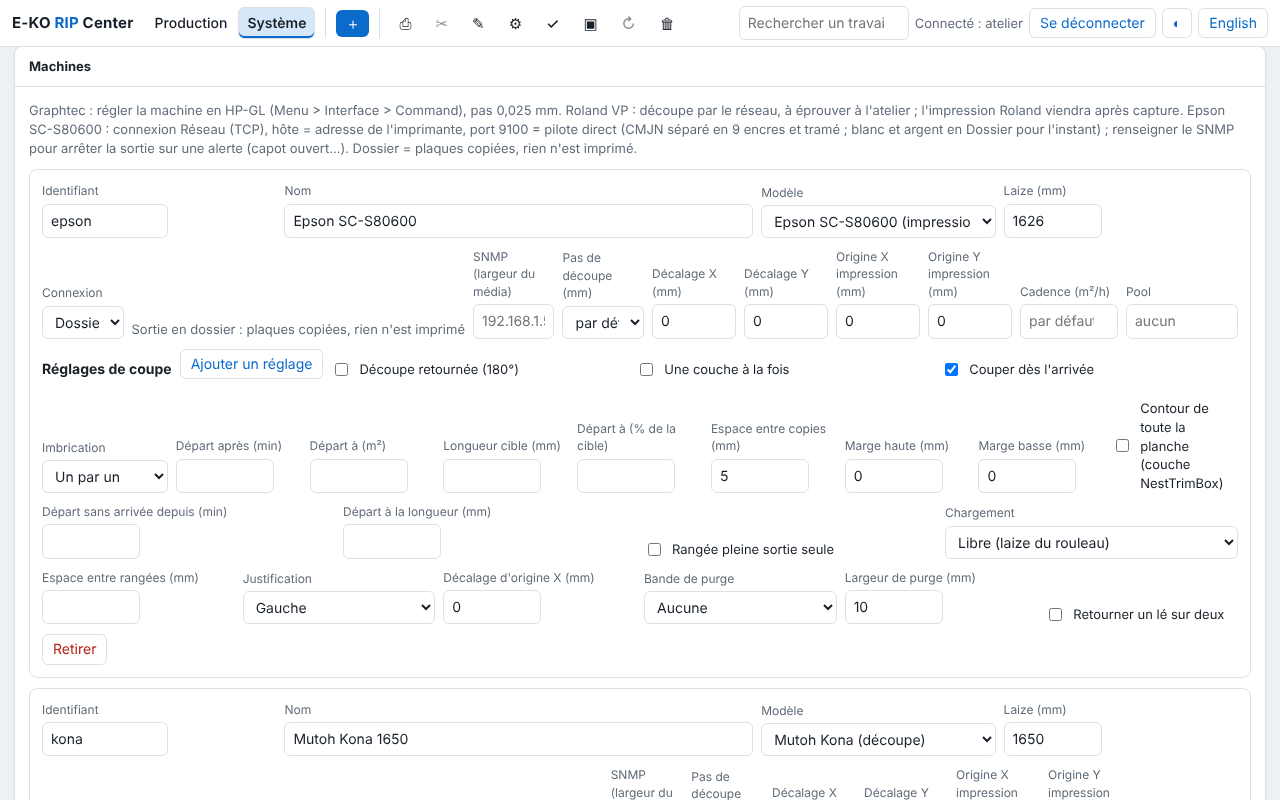
For every machine:
- Id: lowercase letters, digits and
-(epson,kona…). It names thesorties/<machine>/folder and is used when another RIP forwards to it: do not change it lightly. - One output at a time, in the order of the machine's queue. A machine that still has an output to run cannot be removed from the catalogue.
- Fixed IP address for every network machine (see the server PC requirements).
Connections
| Connection | For | To enter | Check |
|---|---|---|---|
| Network (TCP) | Epson (direct driver), Graphtec, Roland | host (fixed IP), port (9100 for the Epson) | nc -vz <ip> <port> |
| Serial / USB-serial | Kona, cutter on USB-serial | port (/dev/kona), stty settings | ls -l <port>; the service is in dialout |
| Device (USB…) | machine as a USB printer | path (/dev/usb/lp0…) | ls -l <path> |
| Folder | no driver, third-party software watching the folder | nothing | ls /var/lib/eko-rip/sorties/<machine>/ |
| IPP | raw CUPS queue, IPP printer | host, port 631, path (/printers/<queue>) | lpstat -h <host> -p |
| Forward to another E-KO RIP | machine plugged into another E-KO RIP | host, port 8640, the machine's id there, token | eko-rip-serveur renvoi etat on the other server |
IPP and forwarding in detail: administration, machines.
A machine that is not in the list
A machine can already be reached through the Folder connection (the RIP drops the files that the machine's software watches) or through IPP. To ask for a model to be supported, write to contact@e-ko.rip with the brand, the model and how it is connected.
Found a mistake or something missing? Suggest a fix or write to contact@e-ko.rip.