 E-KO RIP Center
Documentation › Getting started
Getting started
How the server, clients, mobile app and Cloud fit together, then setting up a print shop in five steps.
This page introduces the parts of E-KO RIP Center and the order in which to install them. Allow one hour for a simple shop: one server, one or two workstations, one printer and one cutter.
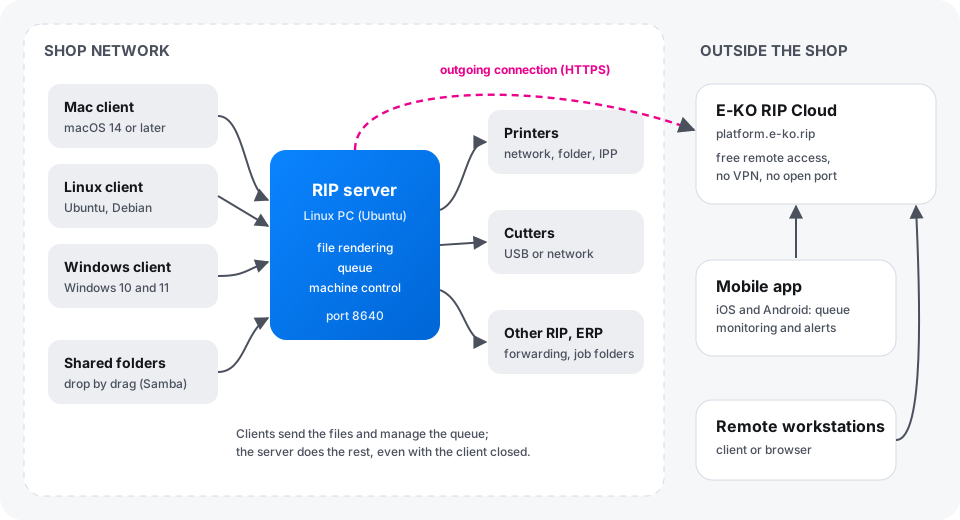
The parts of the RIP
| Part | Where | Role |
|---|---|---|
| RIP server | a Linux PC in the shop, switched on all the time | receives the files, calculates the renders, keeps the queue, drives the machines |
| E-KO RIP Center client | each workstation (Mac, Linux, Windows) | sends the files, follows the jobs, starts printing and cutting |
| Mobile app | iOS or Android phone | follows the queue and the machines, receives alerts (empty cartridge, machine unreachable…) |
| E-KO RIP Cloud | online service, platform.e-ko.rip | gives access to the server from outside, with no VPN and no open port |
| Administration interface | in the client (Administration…) or through the Cloud in a browser | machine settings, media, colour, accounts, backup |
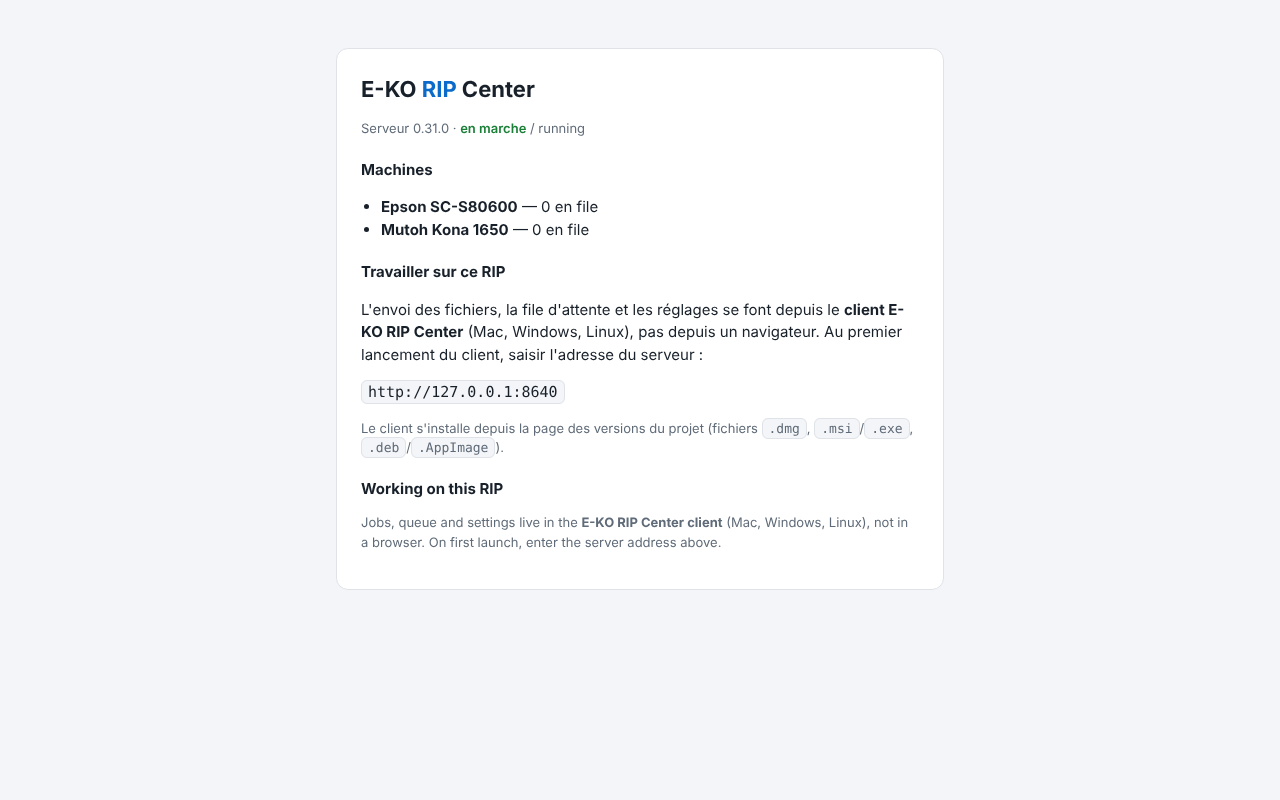
A browser opened on the server's address inside the shop only shows a status page (version, machines, address to enter in the client): the full interface is reserved for the clients.
Set up a print shop in five steps
1. Prepare the server
Choose a 64-bit (x86) PC that will stay switched on, preferably with an SSD reserved for the data, connected by cable and on a UPS. Give it a fixed IP address on the router. Details: choosing the server PC.
2. Install the server
On Ubuntu 24.04 or 26.04 LTS, add the E-KO repository then install the eko-rip-serveur package. The service starts by itself and restarts with the PC. Details: installing from the APT repository.
3. Create the accounts
As long as no account exists, any computer on the network can do everything, and the screen shows this in red. Create at least one administrator account, then one operator account per person. Details: accounts and roles.
4. Install the clients
On each workstation, install the client then choose the server in the Servers found on the network (Serveurs trouvés sur le réseau) list. Details: install the clients.
5. Declare the machines
In the client, open Administration…, then System › Machines: add each printer and each cutter, its connection (network, USB, folder) and its media. Every model has its own page in the Machines section.
What next
- Send a first job and learn the queue.
- Install the mobile app to be warned of a breakdown.
- Link the server to E-KO RIP Cloud to reach it from outside.
- Schedule a configuration backup.
What the server needs on the network
| Direction | Port | For |
|---|---|---|
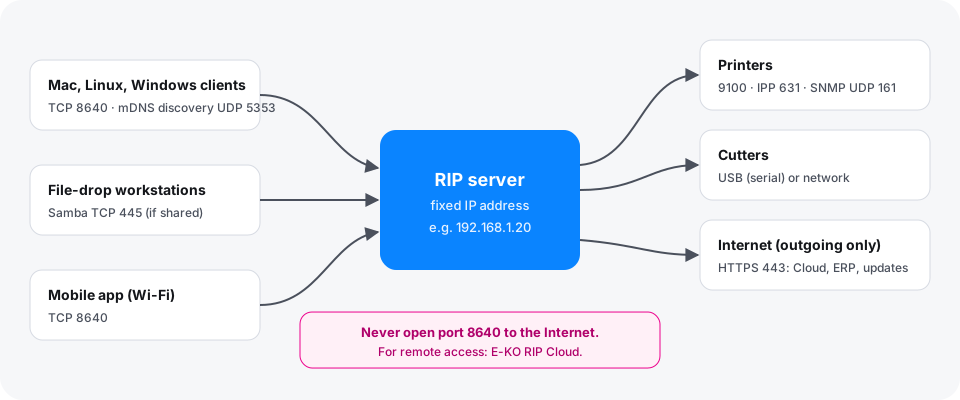
| Workstations → server | TCP 8640 | clients, mobile app inside the shop, forwarding between RIPs |
| Workstations ↔ server | UDP 5353 (mDNS) | automatic discovery of the server by the clients |
| Workstations → server | TCP 445 | shared hot folders (Samba), if you share them |
| Server → printers | TCP 9100, 631 (IPP), UDP 161 (SNMP) | sending jobs, ink levels, loaded media |
| Server → Internet | TCP 443 (HTTPS, outgoing) | updates, E-KO RIP Cloud, ERP |
Found a mistake or something missing? Suggest a fix or write to contact@e-ko.rip.